
Move your IT team’s work into Pitlamp in minutes
Import your plans and tasks from Microsoft Planner, Jira, Asana, Trello or a spreadsheet. Check a preview of every task before anything is added, and undo it in one click.
30 days free. No payment details needed.
Bring everything with you
Export from the tool you use today, upload the file, and Pitlamp works out the rest.
- Microsoft Planner: upload the Excel file from Export plan to Excel
- Jira and Asana: upload their CSV export
- Trello: upload the board’s JSON export, with lists, labels, checklists and comments
- monday.com, ClickUp or your own spreadsheet: any Excel or CSV file with one task per row
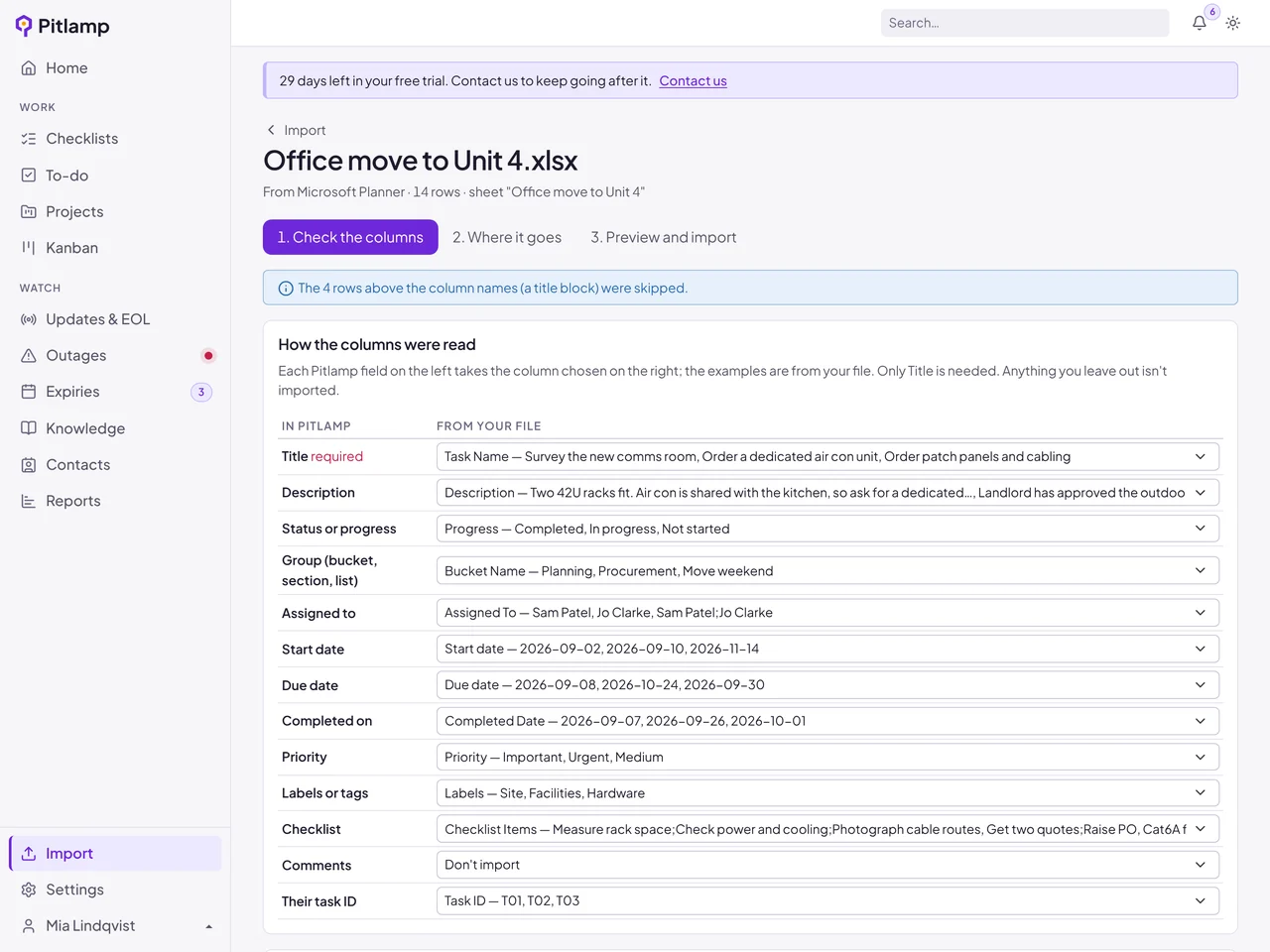
You stay in control
Three short steps, and nothing is added until you say so.
- Check how each column was read, with examples from your own file
- Choose where the tasks go: a new project, an existing one, the Kanban board or a to-do list
- Buckets, sections and lists become project phases or board columns, and people are matched to your team by email or name
- See every task as it will land, with anything Pitlamp couldn’t read clearly pointed out
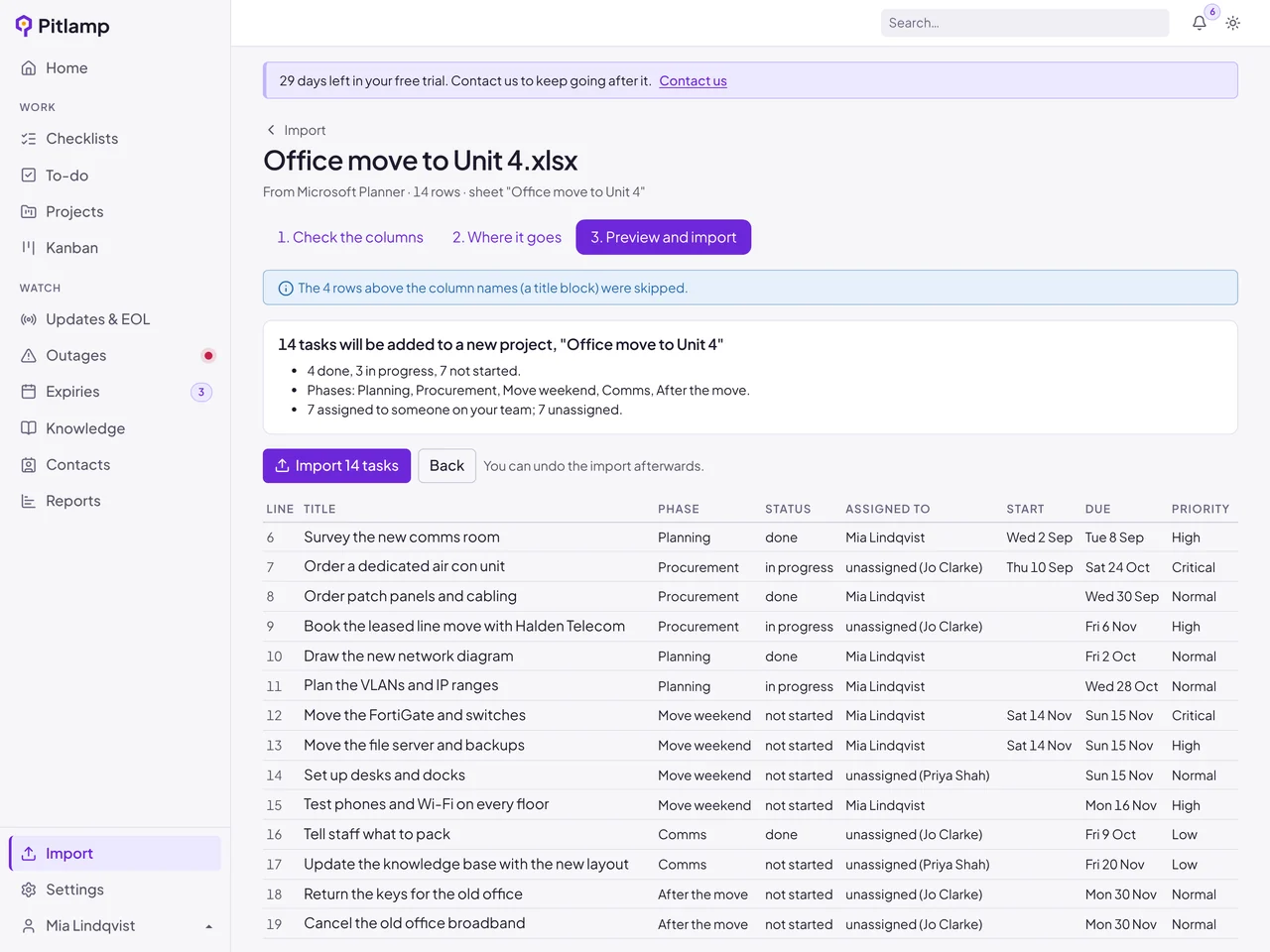
Nothing gets lost
Details kept
Descriptions, checklists, labels and comments come across in each task’s notes, with a note of where it came from.
Dates read correctly
UK and US date formats are worked out from your file, and Excel’s own dates are read exactly.
Safe to try
Undo removes everything an import added in one click. Import the same file twice and the repeats are skipped.
Frequently asked questions
Which tools can we import from?
Microsoft Planner, Jira, Asana and Trello are recognised automatically, and so are monday.com and ClickUp exports. Any spreadsheet saved as Excel (.xlsx) or CSV with one task per row works too.
Does importing change anything in our old tool?
No. You export a file from your current tool and upload it to Pitlamp. Your original plan stays exactly as it was.
What if the import isn’t right?
Check the preview first: nothing is added until you choose Import. If something still isn’t right afterwards, undo the import in one click, adjust your choices and import again.
Are attachments imported?
Exports from these tools don’t include attachment files, so they aren’t imported. Descriptions, checklists, labels, comments, dates, priorities and who each task is assigned to are.
Who can import?
Managers and admins. Imports are recorded in your audit log.
Bring your IT team’s work into one place
Checklists, tasks, projects, runbooks and update tracking in one workspace. Try Pitlamp free for 30 days, with no payment details needed.