
IT task management with to-dos, projects and a Kanban board
Keep every job your IT team owns in one place, from quick to-dos to multi-week projects, on a Kanban board the whole team can see.
30 days free. No payment details needed.
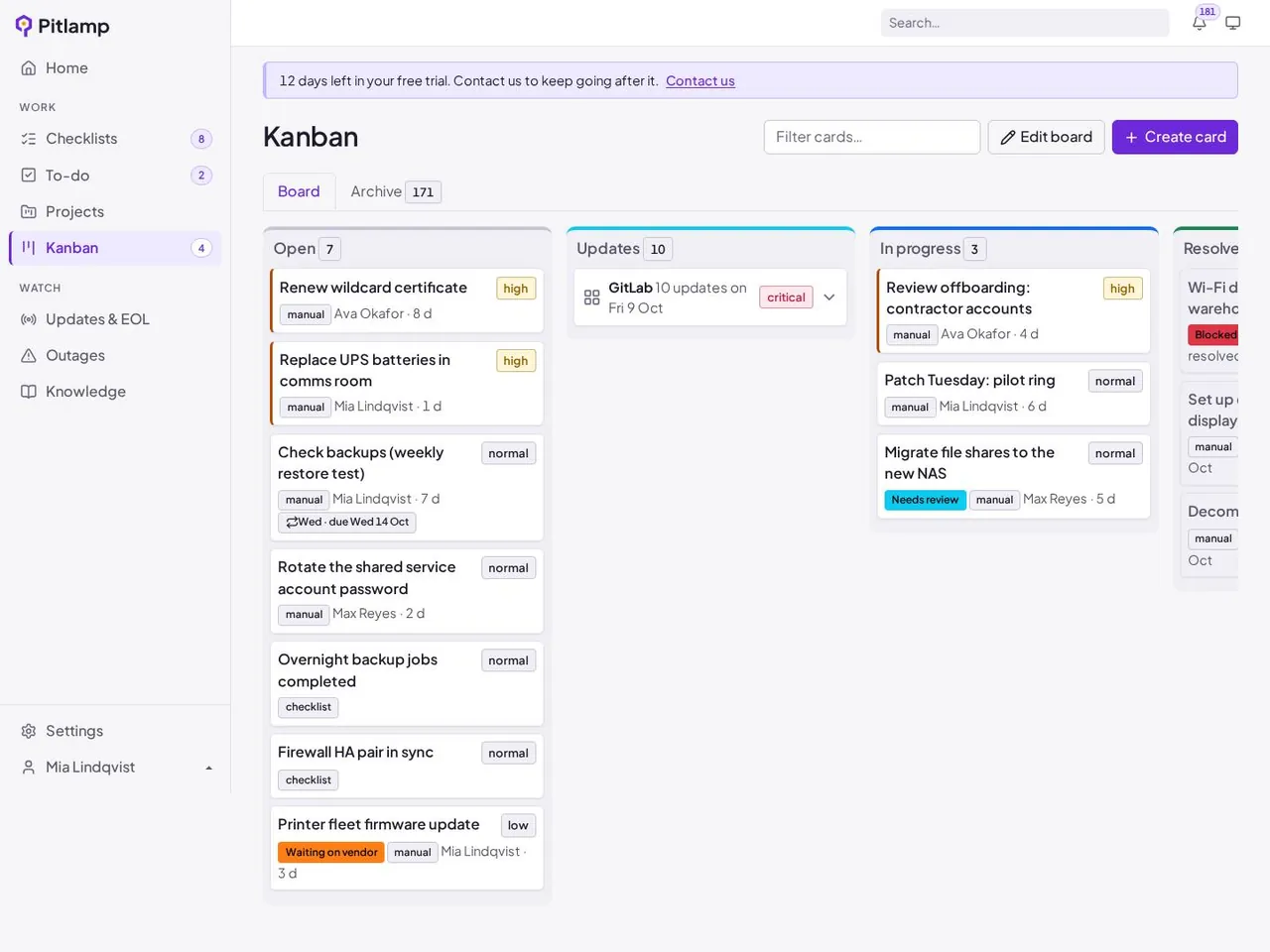
One Kanban board for all IT work
See what’s open, what’s in progress and what’s done at a glance.
- Open, in progress and resolved columns
- Failed checks and urgent updates become cards automatically
- Comments and attachments on every card
To-dos and projects
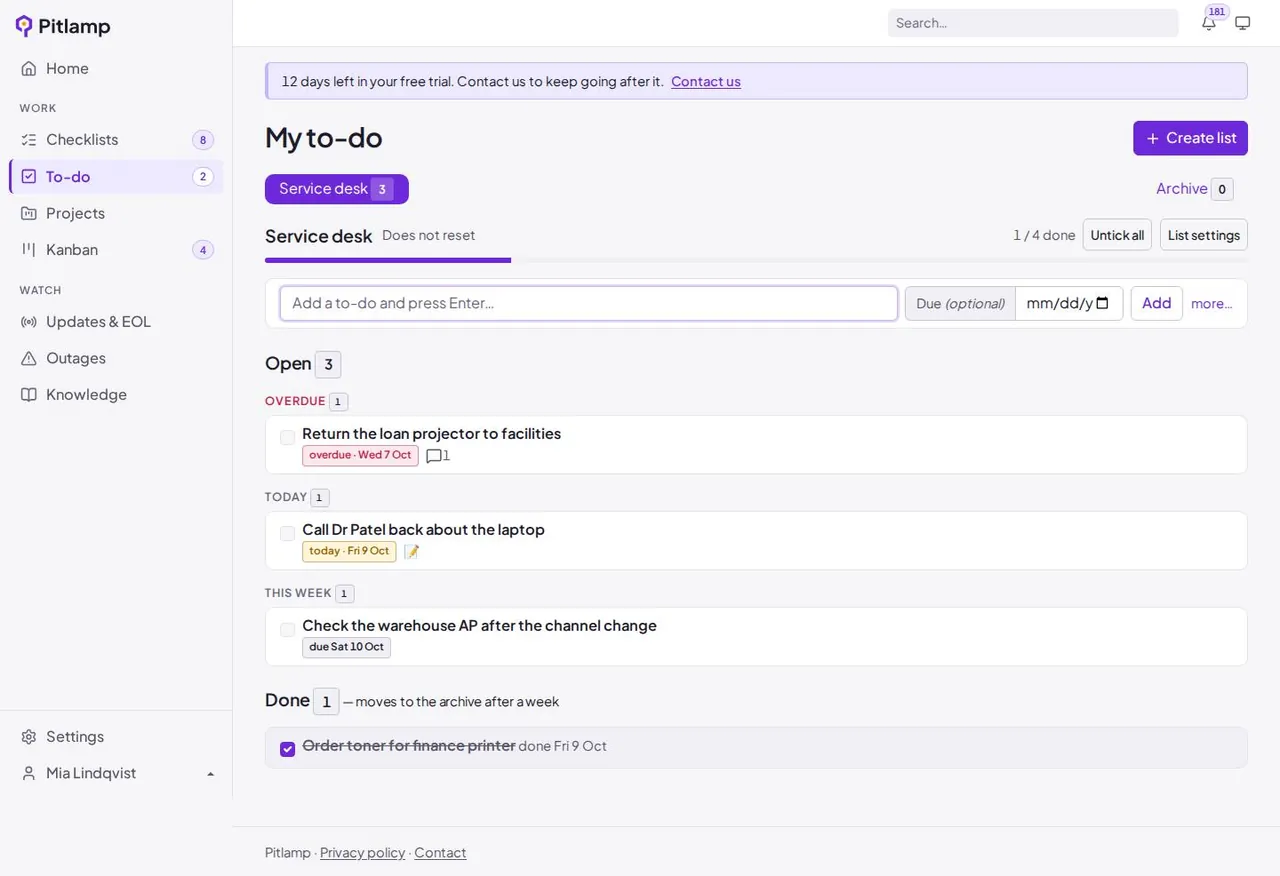
Small jobs and big pieces of work, side by side.
- Personal and shared to-do lists
- Projects to group related work and track progress
- Work visible to the whole team, not stuck in one person’s inbox
Why IT teams manage their work in Pitlamp
Every job has an owner
Each card and to-do shows who’s on it, so nothing sits unassigned.
Nothing falls through the cracks
Failed checks and urgent updates land on the board automatically.
Status without the chasing
See where everything is without a round of messages or a status meeting.
Frequently asked questions
Is Pitlamp a helpdesk or ticketing system?
No. Pitlamp is for your IT team’s own operational work: daily checks, maintenance, upgrades and projects. It sits alongside the service desk you already use.
What is a Kanban board in IT?
A Kanban board shows work as cards in columns such as open, in progress and done. IT teams use it to see their workload at a glance and keep work moving.
How do checks and updates become tasks?
When a daily check fails or an update needs action, Pitlamp creates a card on your Kanban board, so it’s tracked until it’s resolved.
Bring your IT team’s work into one place
Checklists, tasks, projects, runbooks and update tracking in one workspace. Try Pitlamp free for 30 days, with no payment details needed.